
Google I/O 2026 In-Depth Technical Analysis (Enhanced Edition): The Full Activation of the Agentic Gemini Era
Date: May 19-20, 2026 · Shoreline Amphitheatre · Sundar Pichai Keynote Core Theme: From Operating System to Intelligence System — The Full-Stack Agent Flywheel Completes Its First Closed Loop Enhanced Edition Notes: Adds in-depth technical analysis, Mermaid architecture diagrams, competitive comparisons, cost projections, and business model analysis on top of the original article
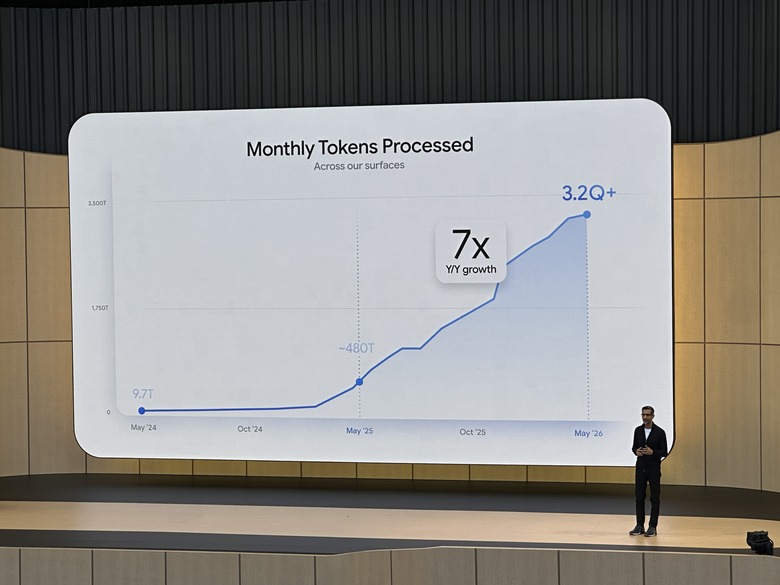
I. Scale Baseline: How Big Is Google's AI Flywheel?
Sundar opened with three numbers to set the tone:
| Metric | Data |
|---|---|
| Monthly Tokens Processed | 3.2 quadrillion, 7x YoY growth (480T last year) |
| Gemini Monthly Active Users | 900M+ (400M same period last year) |
| AI Overviews Monthly Active Users | 2.5 billion |
| AI Mode Monthly Active Users | 1 billion (only one year since launch) |
| Products with 1B+ Users | 13 (5 of which exceed 3 billion) |
| Developers | 8.5M+ monthly active developers using Google models |
| API Throughput | 19 billion tokens/minute |
| Annual Capex | $180-190 billion (6x compared to $31B in 2022) |
These numbers are not vanity metrics — tokens are the atomic unit of AI tasks. 3.2 quadrillion/month means AI has become Google's load-bearing infrastructure, not an experimental project.
🔬 In-Depth Technical Analysis: Infrastructure Projections for 3.2Q Tokens/Month
Token Processing Scale Growth Curve (2022-2026)
xychart-beta
    title "Google Monthly Token Processing Volume Growth (2022-2026, Unit: Trillions)"
    x-axis ["2022", "2023", "2024-H2", "2025-H1", "2025-I/O", "2026-I/O"]
    y-axis "Monthly Tokens Processed (Trillions)" 0 --> 3500
    line [5, 30, 120, 250, 480, 3200]
Key Projections:
| Projection Dimension | Value | Calculation Logic |
|---|---|---|
| Monthly Tokens | 3.2Q = 3.2 × 10¹⁵ | Official data |
| Peak Tokens/Second | ~1.2M tok/s | 3.2Q ÷ (30 × 24 × 3600), assuming uniform distribution |
| Peak Tokens/Second (with fluctuation) | ~3-5M tok/s | Accounting for 3-4x intra-day peaks |
| Required TPU v5p Equivalent Chips | ~2-4 million | Based on TPU v5p ~5T tok/s/chip/year, considering inference/training mixed workloads |
| TPU 8th-Gen (Ironwood) Equivalent | ~500K-1 million | Assuming Ironwood performance is 4x of v5p |
| Data Center Power Requirements | ~2-4 GW | Based on Ironwood ~500W/chip, including cooling and supporting facilities |
| Data Center Floor Space | ~2-4 million sq ft | Based on ~5MW/sq ft typical density |
| Annual Power Cost | ~$3-6 billion | At $0.06-0.08/kWh industrial electricity rates |
| Capex Recovery Period | ~3-5 years | $180-190B annual Capex ÷ annual incremental revenue |
Key Insights:
- The growth curve of 3.2Q tokens/month is super-exponential — from approximately 120T at end of 2024 to 3,200T in 2026, a 27x increase in less than two years. This is not linear scaling but a flywheel effect: better models → more users → more data → more infrastructure → better models.
- A peak throughput of 19 billion tokens/minute means Google's inference infrastructure has reached a scale comparable to traditional internet CDNs. This number corresponds to approximately tens of millions of concurrent requests (assuming an average request of 2K tokens).
- The core question for $180-190B Capex is ROI — if we estimate based on Gemini API average price of ~$3/M tokens, 3.2Q tokens/month corresponds to ~$9.6B/month potential API revenue ceiling (actual figure is far lower, as the majority is internal consumption and free tier). This means infrastructure investment recovery may require a 3-5+ year time window.
🔬 Google Full-Stack Flywheel Architecture Diagram
graph TB
    subgraph "Infrastructure Layer"
        TPU["TPU Ironwood<br/>8th Gen"]
        GCP["Google Cloud<br/>Agentic Data Cloud"]
        ENERGY["Data Centers<br/>~3-4 GW Power"]
    end

    subgraph "Models Layer"
        FLASH["Gemini 3.5 Flash<br/>Agent/Coding Core"]
        PRO["Gemini 3.5 Pro<br/>Coming Next Month"]
        OMNI["Gemini Omni<br/>Any→Any Multimodal"]
        VEO["Veo 3.1<br/>Video Generation"]
        IMAGEN["Imagen 4<br/>Text-to-Image"]
        LYRIA["Lyria 2<br/>Music Generation"]
    end

    subgraph "Agent Platform"
        AG["Antigravity 2.0<br/>Desktop/CLI/SDK"]
        MAA["Managed Agents API<br/>Hosted Sandbox"]
        SPARK["Gemini Spark<br/>24/7 Personal Agent"]
        FIREBASE["Firebase<br/>Full Development Pipeline"]
    end

    subgraph "Consumer Entry Points"
        SEARCH["Search<br/>AI Mode 1B+ MAU"]
        GEMINI_APP["Gemini App<br/>900M+ MAU"]
        ANDROID["Android 17<br/>Gemini Intelligence"]
        WORKSPACE["Workspace<br/>Enterprise AI Layer"]
    end

    subgraph "Hardware Vehicles"
        GBOOK["Googlebook<br/>Intelligence Laptop"]
        XR["Android XR Glasses<br/>Gentle Monster/Warby Parker"]
        PIXEL["Pixel / Samsung"]
    end

    TPU --> FLASH
    TPU --> PRO
    TPU --> OMNI
    GCP --> MAA
    ENERGY --> TPU

    FLASH --> AG
    FLASH --> MAA
    OMNI --> VEO
    OMNI --> IMAGEN
    FLASH --> SPARK

    AG --> SEARCH
    MAA --> WORKSPACE
    SPARK --> GEMINI_APP
    AG --> FIREBASE

    SEARCH --> GBOOK
    GEMINI_APP --> XR
    ANDROID --> PIXEL
    WORKSPACE --> GBOOK
II. Model Layer: Gemini 3.5 Flash + Gemini Omni
2.1 Gemini 3.5 Flash — "Flash Is No Longer the Budget Tier"
This is the most technically significant release at I/O 2026. Google positions it as "the strongest agent/coding model" (note: not the strongest absolute intelligence), GA and available immediately.
Core Specifications:
- Context window: 1M tokens
- Max output: 65K tokens
- Thinking levels: 4 tiers (minimal / low / medium / high), medium is the new default
- Cross-turn Thought Preservation
- Input modalities: text + image + video + audio
- Pricing: $1.50 / $9.00 (input/output per million tokens), 90% discount on cached input
Key Benchmarks:
| Metric | Score |
|---|---|
| Terminal-Bench 2.1 | 76.2% |
| GDPval-AA (Agentic Elo) | 1656 |
| MCP Atlas | 83.6% |
| MMMU-Pro | 84% |
| Artificial Analysis Intelligence Index | 55 (+9 vs Gemini 3 Flash) |
Speed:
- Officially claimed 4x faster than comparable frontier models
- Up to 12x within Antigravity (~867 tok/s)
- Independent benchmarks > 280 output tok/s
Noteworthy Signals:
- The Flash label is absorbing what was previously Pro's positioning — and the price has risen accordingly (Artificial Analysis reports running costs at 5.5x of Gemini 3 Flash, 75% more expensive than Gemini 3.1 Pro)
- Gemini 3.5 Pro coming next month; Flash ships first to rapidly scale agent scenarios
- Hallucination rate dropped 31 percentage points (down to 61% in Artificial Analysis omniscience test)
External Reactions:
- Positive: "insane evals for a Flash model", "Google is back"
- Skepticism: MRCR and ARC-AGI-2 performance is mediocre, pricing is no longer "Flash"; GPT-5.5-medium may be better on certain slices
🔬 In-Depth Technical Analysis: Gemini 3.5 Flash Technical Architecture
Thinking 4-Tier Mechanism and Inference Cost Analysis
graph LR
    subgraph "Thinking Level"
        MIN["Minimal<br/>~1x token cost"]
        LOW["Low<br/>~2-3x token cost"]
        MED["Medium<br/>~5-8x token cost<br/>【New Default】"]
        HIGH["High<br/>~15-20x token cost"]
    end

    MIN -->|+Reasoning| LOW
    LOW -->|+Reasoning| MED
    MED -->|+Reasoning| HIGH

    subgraph "Output Characteristics"
        SPEED["Speed: High > Med > Low > Min"]
        QUALITY["Quality: High > Med > Low > Min"]
        COST["Cost: High >> Med > Low > Min"]
    end
Thinking 4-Tier Cost Projection Table:
| Thinking Level | Estimated Thinking Token Consumption | Effective Input Cost | Effective Output Cost | Use Case |
|---|---|---|---|---|
| Minimal | ~500-1K tokens | ~$1.50/M | ~$9.00/M | Simple Q&A, format conversion |
| Low | ~2K-5K tokens | ~$1.50/M + ~$1.50/M(think) | ~$9.00/M | Daily conversation, basic coding |
| Medium (default) | ~5K-15K tokens | ~$1.50/M + ~$4.50/M(think) | ~$9.00/M | Agent orchestration, complex coding, analysis |
| High | ~20K-50K+ tokens | ~$1.50/M + ~$15-30/M(think) | ~$9.00/M | Difficult reasoning, multi-step planning |
Key Insights:
- The Hidden Cost of Thinking Tokens — Google has not publicly disclosed pricing details for Thinking Tokens, but based on industry practice (Anthropic's extended thinking also consumes additional tokens), the medium default means the actual cost per API call is 3-5x higher than the nominal price.
- Strategic Drift of the Flash Positioning — Gemini 3.5 Flash's running cost is 5.5x that of Gemini 3 Flash, and 75% more expensive than Gemini 3.1 Pro. The "Flash" label is drifting from "cheap and fast" to "flagship-tier but relatively fast." This poses a risk to developer cost expectation management.
- The Secret Behind 12x Acceleration Within Antigravity — The 867 tok/s output speed may come from: a) custom KV cache optimization; b) speculative decoding paired with a smaller draft model; c) internal batching optimization. This suggests Google has an undisclosed inference acceleration stack internally.
Thought Preservation — Technical Implications
Thought Preservation (cross-turn thought retention) is an underrated technical feature. In traditional LLM conversations, each turn only has text history as context; Thought Preservation means:
Traditional Mode:
  User → [Text History + System Prompt] → Model → Response

Thought Preservation Mode:
  User → [Text History + System Prompt + Previous Thinking Chains] → Model → Response
  ↑ The model can "see" the internal reasoning process from previous turns
Implementation Challenges:
- Context Window Pressure: If all thinking tokens are retained, 10 turns of conversation may consume 100K+ tokens just for chain-of-thought history
- Selective Retention Strategy: Google likely adopted some form of "thought compression" mechanism — not retaining raw thinking tokens, but rather retaining structured summaries of the reasoning
- Privacy Considerations: Thinking tokens may contain reasoning details about user input; cross-turn retention increases the data exposure surface
- Consistency Risk: If thinking from earlier turns contains errors, retaining that thinking may amplify those errors
Value for Agent Scenarios: This is a key technical underpinning for Antigravity and Spark. Agents need to maintain task context and reasoning consistency across multiple rounds of execution. Thought Preservation provides a richer state transfer mechanism than plain text history.
Gemini 3.5 Flash Technical Architecture
graph TB
    subgraph "Input Pipeline"
        TEXT["Text Input<br/>Tokenization"]
        IMAGE["Image Input<br/>ViT Encoding"]
        VIDEO["Video Input<br/>Frame Sampling + ViT"]
        AUDIO["Audio Input<br/>ASR + Semantic Encoding"]
    end

    TEXT --> FUSION["Multimodal Fusion Layer<br/>Cross-Attention Fusion"]
    IMAGE --> FUSION
    VIDEO --> FUSION
    AUDIO --> FUSION

    FUSION --> CONTEXT["Context Management<br/>1M Token Window<br/>+ KV Cache"]
    CONTEXT --> THINK["Thinking Engine<br/>4-Level Adaptive"]

    THINK --> |"Minimal"| OUT_FAST["Fast Output<br/>~280+ tok/s"]
    THINK --> |"Medium (default)"| OUT_MED["Standard Reasoning Output<br/>~150 tok/s"]
    THINK --> |"High"| OUT_DEEP["Deep Reasoning Output<br/>~50 tok/s"]

    subgraph "Thought Preservation"
        TP_STORE["Chain-of-Thought Storage"]
        TP_COMPRESS["Thought Compression"]
        TP_RETRIEVE["Cross-Turn Retrieval"]
    end

    THINK <--> TP_STORE
    TP_STORE --> TP_COMPRESS
    TP_COMPRESS --> TP_RETRIEVE
    TP_RETRIEVE --> CONTEXT
2.2 Gemini Omni — A Unified Entry Point from Understanding to Creation
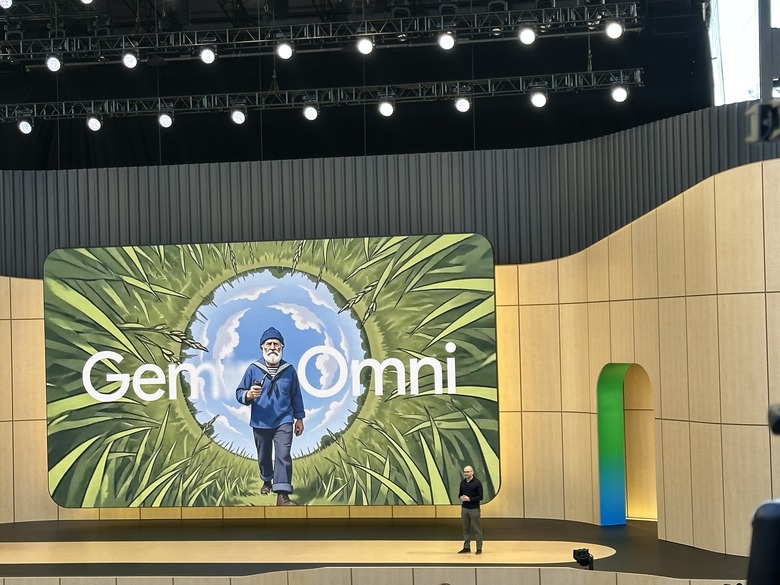
Positioning: Merging Gemini's reasoning/world knowledge with Google's generative media stack to achieve "any input → any output." Initial launch focuses on video.
Core Capabilities:
- Input: text / image / audio / video
- Output: video generation and editing (up to 10 seconds initially, with native audio)
- Multi-turn editing: scene/character consistency preservation
- "Reimagine": re-imagining user-uploaded video素材 using conversational instructions
- Stronger physical world understanding and motion consistency
Release Cadence:
- Paid users: available immediately in Gemini App / Flow
- YouTube Shorts/Create: free access starting this week
- API: coming in the coming weeks
Strategic Significance: Omni is not just another video model — it is Google's unified entry point for "multimodal understanding + media editing + world modeling + Agent interface." It aligns with DeepMind's long-term world model strategy.
Related Product Matrix:
- Veo 3.1: text→video generation, available on Vertex AI, supports advanced editing including "first/last frame", "scene expansion", "object insertion"
- Imagen 4: Google's highest quality text-to-image model
- Lyria 2: AI music generation
- Flow / Flow Music: Google's creative workstation integrating all of the above models
- Nano Banana: has cumulatively generated 50 billion images
🔬 In-Depth Technical Analysis: Omni "Any→Any" Technical Architecture Projection
graph TB
    subgraph "Input Encoders"
        I_TEXT["Text Encoder<br/>Gemini Tokenizer"]
        I_IMAGE["Image Encoder<br/>ViT + Patch Embedding"]
        I_AUDIO["Audio Encoder<br/>SoundStream/EnCodec"]
        I_VIDEO["Video Encoder<br/>Spatiotemporal Tokenizer"]
    end

    subgraph "Unified Latent Space"
        LATENT["Multimodal Latent<br/>Diffusion Foundation<br/>+ World Model"]
    end

    subgraph "Output Decoders"
        O_TEXT["Text Decoder<br/>Gemini LM Head"]
        O_IMAGE["Image Decoder<br/>Diffusion + VAE"]
        O_AUDIO["Audio Decoder<br/>Neural Vocoder"]
        O_VIDEO["Video Decoder<br/>Temporal Diffusion<br/>+ Native Audio"]
    end

    I_TEXT --> LATENT
    I_IMAGE --> LATENT
    I_AUDIO --> LATENT
    I_VIDEO --> LATENT

    LATENT --> O_TEXT
    LATENT --> O_IMAGE
    LATENT --> O_AUDIO
    LATENT --> O_VIDEO

    subgraph "Key Technical Innovations"
        CONSISTENCY["Scene/Character Consistency<br/>Identity Preservation"]
        PHYSICS["Physical World Understanding<br/>Physics Simulation"]
        MULTI_TURN["Multi-Turn Editing<br/>Diffusion Inversion"]
    end

    LATENT --> CONSISTENCY
    CONSISTENCY --> PHYSICS
    PHYSICS --> MULTI_TURN
Technical Architecture Projection for "Any Input → Any Output":
Omni's core breakthrough is not the quality of any single modality, but rather mapping all modalities to a unified latent space. This means:
- Unified Latent Space — Omni likely adopted an architectural approach similar to UniDiffuser or CM3leon, encoding all modalities into the same high-dimensional space, then decoding from this space to the target modality. This is more efficient than a cascaded pipeline (text→image→video→audio).
- Technical Foundation for Multi-Turn Editing — The Reimagine feature implies Omni supports latent space inversion and editing. After a user uploads a video, Omni encodes it into the latent space, then uses text instructions to locate and modify specific attributes (style, objects, scenes) in the latent space, and finally decodes back to video.
- Significance of Native Audio Generation — 10-second videos include native audio, meaning Omni's video decoder and audio decoder are jointly trained, sharing spatiotemporal representations. This is a capability that current competitors (Sora, Runway Gen-4) do not fully possess.
- Connection to the Agent Layer — As part of the Gemini ecosystem, Omni can be directly invoked by Antigravity Agents. This means Agents can not only process text/code, but also generate and edit multimedia content.
III. Agent Layer: Antigravity 2.0 + Gemini Spark
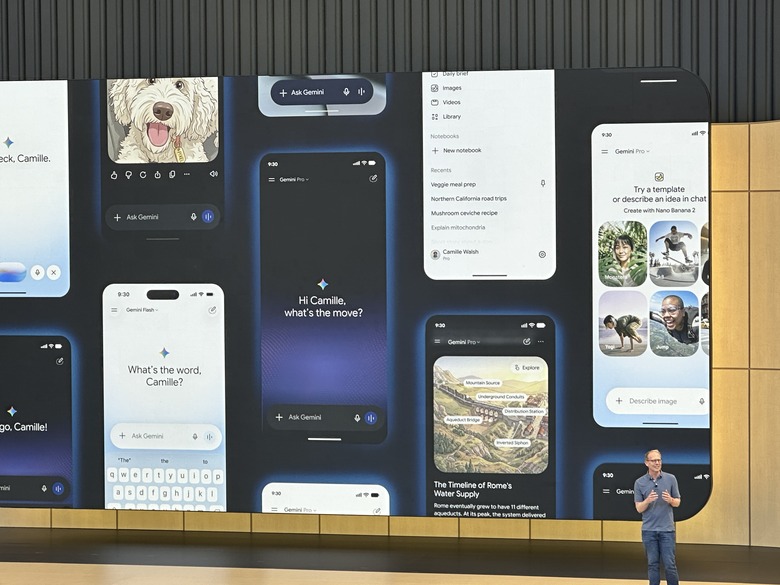
This is the most architecturally significant change at this I/O — Google is no longer treating Agents as thin wrappers around chat models, but is building a complete execution foundation.
3.1 Antigravity 2.0 — Google's Agent Operating System
| Component | Description |
|---|---|
| Desktop App | Agent-first desktop, core conversation + Artifacts + multi-Agent orchestration |
| CLI | Command-line Agent execution environment |
| SDK | Developer-facing Agent development kit |
| Managed Agents API | Create an Agent + hosted Linux sandbox (Bash/Python/Node, file operations, browsing, custom Skills) with a single API call |
| AI Studio → Antigravity | One-click export |
| Android Native | AI Studio supports generating Android applications |
Flagship Demo:
Using Antigravity + Gemini 3.5 Flash, 93 parallel sub-Agents spent 12 hours building a complete operating system. 15,000+ model requests, consuming 2.6 billion tokens.
While this is a carefully crafted demo, it reveals the architecture Google wants developers to adopt: many fast Agents collaborating, rather than one slow giant model working alone.
Jeff Dean's exact words: 3.5 Flash is a powerful engine for "deploying sub-agents that collaborate, run high-frequency iterative loops, and solve real-world problems at scale."
External Reactions:
- Positive: This is Google's answer to Codex / Claude Code / OpenClaw, with a stronger infrastructure story
- Criticism: Brand and product confusion — Gemini CLI vs Antigravity CLI is hard to distinguish, UX design was panned
🔬 In-Depth Technical Analysis: Antigravity 2.0 Architecture Full Breakdown
Antigravity 2.0 Component Architecture Relationship Diagram
graph TB
    subgraph "Developer Entry Points"
        DESKTOP["Antigravity Desktop<br/>Agent-first IDE<br/>Conversation + Artifacts + Multi-Agent Orchestration"]
        CLI["Antigravity CLI<br/>Command-Line Agent Execution"]
        SDK["Antigravity SDK<br/>Python/TypeScript SDK"]
        STUDIO["AI Studio<br/>Prompt → Agent One-Click Export"]
    end

    subgraph "Runtime"
        LOCAL_RT["Local Runtime<br/>Built into Desktop/CLI"]
        MANAGED_RT["Managed Agents Runtime<br/>Google Cloud Hosted"]
    end

    subgraph "Managed Sandbox"
        SANDBOX["Linux Sandbox Environment"]
        BASH["Bash Execution"]
        PYTHON["Python Runtime"]
        NODE["Node.js Runtime"]
        FILES["File System Operations"]
        BROWSER["Headless Browser<br/>Web Browsing"]
        SKILLS["Custom Skills<br/>Skill Registry"]
    end

    subgraph "Orchestration"
        ORCHESTRATOR["Agent Orchestrator<br/>Single/Multi-Agent Orchestration"]
        SINGLE["Single Agent Mode<br/>Simple Tasks"]
        MULTI["Multi-Agent Collaboration<br/>Complex Task Decomposition"]
    end

    subgraph "Model Backend"
        FLASH_BE["Gemini 3.5 Flash<br/>High-Frequency Inference"]
        PRO_BE["Gemini 3.5 Pro<br/>Deep Reasoning"]
        API_BE["Gemini API<br/>1M Context + Thinking"]
    end

    DESKTOP --> LOCAL_RT
    CLI --> LOCAL_RT
    SDK --> LOCAL_RT
    SDK --> MANAGED_RT
    STUDIO --> DESKTOP

    MANAGED_RT --> SANDBOX
    SANDBOX --> BASH
    SANDBOX --> PYTHON
    SANDBOX --> NODE
    SANDBOX --> FILES
    SANDBOX --> BROWSER
    SANDBOX --> SKILLS

    LOCAL_RT --> ORCHESTRATOR
    MANAGED_RT --> ORCHESTRATOR

    ORCHESTRATOR --> SINGLE
    ORCHESTRATOR --> MULTI

    SINGLE --> FLASH_BE
    MULTI --> FLASH_BE
    SINGLE --> PRO_BE
Managed Agents API Sandbox Security Model Projection
Google officially only mentioned "secure remote environment" and "Linux sandbox" without disclosing specific technical implementation. Based on Google Cloud's existing technology stack and industry practices, the projection is as follows:
graph TB
    subgraph "Security Boundary"
        API_GATEWAY["API Gateway<br/>Authentication + Rate Limiting"]
        ORCHESTRATOR_S["Agent Orchestrator<br/>Task Scheduling"]
    end

    subgraph "Sandbox Options (Projected)"
        OPT1["Option 1: gVisor<br/>User-Space Kernel<br/>Syscall Filtering<br/>★★★☆☆ Isolation"]
        OPT2["Option 2: Firecracker microVM<br/>Lightweight VM<br/>Hardware-Level Isolation<br/>★★★★★ Isolation"]
        OPT3["Option 3: Linux Namespace<br/>+ cgroup + seccomp<br/>Container-Level Isolation<br/>★★★☆☆ Isolation"]
    end

    subgraph "Security Controls"
        NETWORK["Network Isolation<br/>Outbound Whitelist"]
        STORAGE["Storage Isolation<br/>Temporary File System"]
        RESOURCE["Resource Limits<br/>CPU/Mem/Time"]
        AUDIT["Audit Logging<br/>All Operations Recorded"]
    end

    API_GATEWAY --> ORCHESTRATOR_S
    ORCHESTRATOR_S --> OPT1
    ORCHESTRATOR_S --> OPT2
    ORCHESTRATOR_S --> OPT3

    OPT1 --> NETWORK
    OPT2 --> NETWORK
    OPT3 --> NETWORK
    OPT1 --> STORAGE
    OPT2 --> STORAGE
    OPT3 --> STORAGE
    OPT1 --> RESOURCE
    OPT2 --> RESOURCE
    OPT3 --> RESOURCE

    NETWORK --> AUDIT
    STORAGE --> AUDIT
    RESOURCE --> AUDIT
Most Likely Implementation Projection:
| Approach | Likelihood | Rationale |
|---|---|---|
| Firecracker microVM | ★★★★☆ | Google Cloud already has Firecracker experience (via Kata Containers), hardware-level isolation is most secure, ~125ms boot time is acceptable |
| gVisor | ★★★☆☆ | Google in-house, but significant performance overhead, unsuitable for high-frequency Agent scenarios |
| Linux Namespace + cgroup | ★★☆☆☆ | Insufficient isolation, higher multi-tenant risk |
| Hybrid Approach | ★★★★★ | Most likely: Firecracker for base isolation + custom seccomp for syscall filtering + network policy for outbound control |
Key Questions for Security Boundary Design:
- Network Egress Control — Agents need to "browse the web" but cannot become DDoS amplifiers or data exfiltration channels. The likely approach: outbound requests go through Google's proxy gateway with rate limiting and domain whitelisting.
- File System Lifecycle — "Temporary file system" means Agent files are destroyed after task completion. This eliminates persistent attacks but also limits stateful Agent capabilities.
- Security Review of Skill Registration — Does custom Skills code undergo static analysis? Is there runtime monitoring? Google hasn't disclosed this, but it directly relates to supply chain security.
Agent Lifecycle Management
stateDiagram-v2
    [*] --> Created: API Call / CLI Launch
    Created --> Initializing: Allocate Sandbox + Load Skills
    Initializing --> Ready: Environment Ready
    Ready --> Executing: Receive Task
    Executing --> Thinking: Reasoning
    Thinking --> Acting: Generate Action
    Acting --> Observing: Execute Action + Get Results
    Observing --> Thinking: Continue Reasoning
    Thinking --> WaitingConfirm: User Confirmation Required
    WaitingConfirm --> Executing: User Approved
    WaitingConfirm --> Aborted: User Rejected
    Executing --> Completed: Task Complete
    Executing --> Failed: Error/Timeout
    Failed --> Retrying: Auto Retry
    Retrying --> Executing: Retry Successful
    Retrying --> Failed: Retries Exhausted
    Completed --> Cleanup: Reclaim Resources
    Failed --> Cleanup: Reclaim Resources
    Aborted --> Cleanup: Reclaim Resources
    Cleanup --> [*]: Sandbox Destroyed
Key Design Projections:
- Creation Phase: API call triggers sandbox allocation (Firecracker microVM boot ~125ms), loads pre-configured Skills and environment variables
- Execution Loop: Follows the classic ReAct (Reasoning + Acting) pattern — think → generate action → execute → observe results → continue thinking
- Confirmation Mechanism: High-risk operations (delete files, send email, payments) trigger confirmation wait; Google likely maintains an "operation risk level table"
- Failure Recovery: Agents should have a checkpoint mechanism — if interrupted mid-execution, they can resume from the last checkpoint rather than starting from scratch
- Resource Reclamation: After task completion, the sandbox is destroyed, file system cleared, audit logs archived
Skill Registration Mechanism and Custom Skills
Skill Registration Structure (Projected):
{
  "skill_id": "web-scraper",
  "name": "Web Scraper",
  "description": "Extract structured data from web pages",
  "runtime": "python",           // Execution environment
  "entry_point": "scraper.py",   // Entry file
  "permissions": [               // Required permissions
    "network.outbound.https",
    "filesystem.read",
    "filesystem.write.temp"
  ],
  "dependencies": [              // Dependencies
    "beautifulsoup4",
    "requests"
  ],
  "input_schema": { ... },       // Input parameter schema
  "output_schema": { ... }       // Output parameter schema
}
Custom Skills Implementation Approach (Projected):
- Declarative Registration — Declare Skill metadata, permission requirements, and dependencies through YAML/JSON configuration files
- Code Upload — Package and upload Skill code to the Agent's environment
- Runtime Loading — Agent dynamically loads the corresponding Skill based on task needs during execution
- Permission Control — Each Skill has independent permission declarations; the sandbox controls execution based on permission whitelists
Single Agent vs Multi-Agent Collaboration Orchestration Strategy
graph TB
    subgraph "Single Agent Mode"
        SA_TASK["Task"] --> SA_AGENT["Agent<br/>+ All Skills"]
        SA_AGENT --> SA_RESULT["Result"]
    end

    subgraph "Multi-Agent Orchestration Mode"
        MA_TASK["Complex Task"] --> MA_ORCH["Orchestrator<br/>Task Decomposition + Assignment"]
        MA_ORCH --> MA_A1["Agent 1<br/>Coding"]
        MA_ORCH --> MA_A2["Agent 2<br/>Testing"]
        MA_ORCH --> MA_A3["Agent 3<br/>Documentation"]
        MA_A1 -->|Code| MA_A2
        MA_A2 -->|Test Results| MA_A1
        MA_A1 --> MA_ORCH
        MA_A2 --> MA_ORCH
        MA_A3 --> MA_ORCH
        MA_ORCH --> MA_RESULT["Integrated Result"]
    end
Orchestration Strategy Selection (Projected):
| Strategy | Use Case | Advantages | Disadvantages |
|---|---|---|---|
| Single Agent | Simple tasks, linear workflows | Simple, low latency, low cost | No parallelism, prone to losing context on complex tasks |
| Master-Worker | Decomposable sub-tasks | Parallel acceleration, clear task boundaries | Communication overhead, context sharing difficulties |
| Pipeline | Steps with dependencies | Natural dependency management | No parallelism, single point bottleneck |
| Peer-to-Peer | Exploratory tasks | Flexible, self-organizing | Hard to control, potential circular dependencies |
🔬 Technical Breakdown of the 93-Agent OS Building Demo
This was the most talked-about demo at I/O. Let's break down its technical implications in depth.
Consumption Analysis
| Metric | Value | Projection |
|---|---|---|
| Number of Agents | 93 | Official data |
| Total Token Consumption | 2.6 billion (2.6B) | Official data |
| Total Model Requests | 15,000+ | Official data |
| Total Duration | 12 hours | Official data |
| Average Tokens per Agent | ~28 million | 2.6B ÷ 93 |
| Average Requests per Agent | ~161 | 15,000 ÷ 93 |
| Average Tokens per Request | ~173K | 2.6B ÷ 15,000 |
| Average Duration per Request | ~2.88 seconds | 12h ÷ 15,000 |
Implications of 28M Tokens per Agent:
- At Gemini 3.5 Flash's $1.50/$9.00 pricing (assuming 50/50 input/output split), the token cost per Agent is approximately $126 (input 14M × $1.50/M + output 14M × $9.00/M)
- Total cost for 93 Agents is approximately $11,718
- But with Thinking Tokens (medium level), actual cost may increase 3-5x to $35,000-60,000
- With volume discounts and internal pricing, actual cost may be much lower
Parallelism Analysis
gantt
    title 93-Agent OS Build Demo Scheduling Projection
    dateFormat X
    axisFormat %H

    section Phase 1: Architecture Design
    Master Agent Architecture Planning     :a1, 0, 3600
    Subsystem Division               :a2, 3600, 7200

    section Phase 2: Core Modules (Parallel)
    Kernel Agents (×5)          :b1, 7200, 18000
    Driver Agents (×8)          :b2, 7200, 21600
    File System Agents (×6)      :b3, 7200, 25200
    Memory Management Agents (×4)      :b4, 7200, 18000

    section Phase 3: User Space (Parallel)
    Shell Agents (×3)         :c1, 18000, 28800
    Toolchain Agents (×10)       :c2, 18000, 32400
    UI Agents (×8)            :c3, 21600, 36000
    Network Stack Agents (×6)        :c4, 18000, 32400

    section Phase 4: Integration Testing
    Integration Agents (×15)         :d1, 32400, 39600
    Test Agents (×20)         :d2, 36000, 43200

    section Phase 5: Debug & Fix
    Fix Agents (×8)          :e1, 39600, 43200
Parallelism Projection:
93 Agents cannot all run in parallel — there are clear dependency relationships. Projected parallelism distribution:
| Phase | Agent Count | Parallelism | Dependencies |
|---|---|---|---|
| Architecture Design | 1-3 | Serial | None (starting point) |
| Core Module Development | 20-25 | ~20 parallel | Depends on architecture design completion |
| User Space Development | 25-30 | ~25 parallel | Partially depends on core modules |
| Integration Testing | 15-20 | ~15 parallel | Depends on development completion |
| Debug & Fix | 8-10 | ~8 parallel | Depends on test results |
| Max Parallelism | ~25-30 |
Comparison with Human Developer Work Effort:
| Dimension | 93-Agent Demo | Equivalent Human Team |
|---|---|---|
| Time | 12 hours | 6-12 months (10-person team) |
| Effort | 93 Agents × 12h = 1,116 Agent-hours | 10 people × 1,600h = 16,000 person-hours |
| Cost (Tokens) | ~$12,000-60,000 | ~$800K-1.6M (including salary + facilities) |
| Cost Efficiency | 13-130x cost advantage | |
| Code Quality | Demo-level (likely not production-ready) | Production-level |
Key Insight: The true value of this Demo is not "AI replaced 10 programmers" but rather demonstrating the orchestration pattern of multi-Agent collaboration — how 93 Agents are decomposed, scheduled, communicated, and merged. This is a demonstration of Agent infrastructure capability, not code generation capability.
3.2 Gemini Spark — 24/7 Personal Agent
The most aggressive consumer-facing release at this I/O.
Core Concept:
- You get a dedicated Gmail address to assign tasks to Spark like emailing a colleague
- Spark runs on a dedicated Google Cloud virtual machine, online 24/7
- Natively integrated with Gmail, Calendar, Drive, Docs, Chrome browsing
- Continues working even when your device is off
- Requests your confirmation before executing significant operations
Typical Scenarios:
- "Monitor these three news sources for updates and send me a summary every morning"
- "Research all 2027 electric SUV comparison reviews and give me a table"
- "Schedule all my meetings for next week, avoiding existing appointments"
Availability: AI Ultra subscribers ($200/month) starting next week
Industry Interpretation: Google has essentially skipped the chatbot era and jumped straight into the persistent personal agent era. Spark's existence means Google believes the chat window is not AI's final form — a background-running, email-address-bearing, web-browsing Agent is.
🔬 In-Depth Technical Analysis: Gemini Spark Full Breakdown
Spark 24/7 Agent Workflow
graph LR
    subgraph "User Interface"
        EMAIL["Gmail<br/>Task Email"]
        VOICE["Gemini Voice<br/>Voice Command"]
        APP["Gemini App<br/>Conversation Interface"]
    end

    subgraph "Spark Engine"
        PARSER["Task Parser<br/>Intent + Entity Extraction"]
        QUEUE["Task Queue<br/>Priority + Scheduling"]
        EXECUTOR["Execution Engine<br/>Antigravity Runtime"]
        NOTIFIER["Notification Engine<br/>Email / Push"]
    end

    subgraph "Google Workspace Integration"
        G_GMAIL["Gmail API<br/>Read/Write Email"]
        G_CAL["Calendar API<br/>Schedule Management"]
        G_DRIVE["Drive API<br/>File Operations"]
        G_DOCS["Docs API<br/>Document Editing"]
        G_CHROME["Chrome<br/>Autobrowse<br/>Web Operations"]
    end

    subgraph "Security Layer"
        CONFIRM["Confirmation Mechanism<br/>High-Risk Operations"]
        AUDIT_S["Audit Logging"]
        ISOLATION["Data Isolation"]
    end

    EMAIL --> PARSER
    VOICE --> PARSER
    APP --> PARSER
    PARSER --> QUEUE
    QUEUE --> EXECUTOR
    EXECUTOR --> G_GMAIL
    EXECUTOR --> G_CAL
    EXECUTOR --> G_DRIVE
    EXECUTOR --> G_DOCS
    EXECUTOR --> G_CHROME
    EXECUTOR --> CONFIRM
    CONFIRM -->|Approved| EXECUTOR
    CONFIRM --> NOTIFIER
    G_GMAIL --> AUDIT_S
    G_CAL --> AUDIT_S
    EXECUTOR --> ISOLATION
State Management Mechanism for Persistent Agents
As a 24/7 persistent Agent, Spark's state management is a core technical challenge:
| State Type | Storage Method | Lifecycle | Projection |
|---|---|---|---|
| Task Queue | Google Cloud Firestore/Spanner | Persistent until task completion or cancellation | Needs to support priority, dependencies, and scheduled triggers |
| Execution Context | Gemini Thought Preservation | Maintained across sessions | Maintains task coherence through cross-turn chain-of-thought |
| User Preferences | User Profile Storage | Long-term persistent | Gradually learns user habits, style, and preferences |
| Temporary Working Files | Google Drive temporary folder | Exists during task period | Research reports, spreadsheet drafts, and other intermediate artifacts |
| Browser State | Headless Chrome Session | Maintained during task period | Maintains login state, cookies, browsing history |
| Notification State | Gmail/push queue | Immediately consumed | Task completion notifications, confirmation requests, etc. |
Permission Model: Boundary Conditions of the Confirmation Mechanism
This is the most critical issue in Spark's security design. Based on Google's public descriptions and industry practices, the projection is as follows:
| Operation Type | Risk Level | Confirmation Required | Projected Rationale |
|---|---|---|---|
| Read email | Low | ❌ Auto-execute | Read-only operation, manageable risk |
| Search the web | Low | ❌ Auto-execute | Public information, no side effects |
| Generate document draft | Low | ❌ Auto-execute | Draft can be human-reviewed |
| Send calendar invitation | Medium | ⚠️ Likely required | Involves third parties, but revocable |
| Send email | Medium-High | ✅ Most likely required | Irrevocable, represents user identity |
| Modify existing document | Medium | ⚠️ Likely required | Recoverable via version history |
| Delete files/email | High | ✅ Confirmation required | Irreversible operation |
| Payment/purchase | Very High | ✅ Must confirm | Financial risk |
| Modify system settings | Very High | ✅ Must confirm | Security risk |
The "Golden Zone" Problem of Confirmation Mechanisms:
- Too few confirmations → Users don't trust it, afraid to use it
- Too many confirmations → Too much friction, users abandon it
- Google's optimal strategy may be adaptive confirmation — more conservative initially (more confirmations), gradually relaxing as the model learns user preferences
Integration Architecture with Google Workspace
sequenceDiagram
    participant User as User
    participant Spark as Spark Engine
    participant Gmail as Gmail API
    participant Calendar as Calendar API
    participant Drive as Drive API
    participant Chrome as Chrome Autobrowse
    participant Gemini as Gemini 3.5 Flash

    User->>Spark: Send email "Help me schedule next week's meetings"
    Spark->>Gemini: Parse task intent
    Gemini-->>Spark: Task decomposition: 1. Check schedule 2. Contact attendees 3. Create invitations

    loop Check existing schedule
        Spark->>Calendar: Get next week's schedule
        Calendar-->>Spark: Return schedule data
    end

    loop Search available times
        Spark->>Gmail: Check related email threads
        Gmail-->>Spark: Return email content
    end

    Spark->>Gemini: Comprehensive analysis + generate meeting proposals
    Gemini-->>Spark: Meeting proposals (3 options)

    Spark->>User: Push confirmation request
    User->>Spark: Confirm Option A

    Spark->>Calendar: Create meeting invitation
    Calendar-->>Spark: Created successfully

    Spark->>Gmail: Send invitation email
    Gmail-->>Spark: Sent successfully

    Spark->>User: Notify completion
Competitive Comparison: Spark vs OpenAI Operator vs Anthropic Computer Use
| Dimension | Google Spark | OpenAI Operator | Anthropic Computer Use |
|---|---|---|---|
| Operating Mode | 24/7 persistent, background | On-demand session-based | On-demand session-based |
| Task Interface | Email + Voice + App | Chat window | Chat window |
| Execution Environment | Google Cloud VM | Sandbox browser | Sandbox desktop |
| Ecosystem Integration | Gmail/Calendar/Drive/Docs/Chrome | Primarily web operations | Desktop application operations |
| State Persistence | ✅ Cross-session | ❌ Within session | ❌ Within session |
| Offline Execution | ✅ Continues when device is off | ❌ Requires online | ❌ Requires online |
| Confirmation Mechanism | Adaptive (projected) | Explicit confirmation | Explicit confirmation |
| Pricing | $200/month (included in Ultra) | Included in ChatGPT Pro | Included in Max subscription |
| Maturity | First-release preview | Released and iterated | Released and iterated |
| Core Strength | Persistence + ecosystem integration | Strong web interaction capability | Strong desktop operation capability |
| Core Weakness | Google ecosystem lock-in | No persistence capability | No persistence capability |
Key Insight: Spark's persistence capability is its greatest differentiating advantage. Operator and Computer Use are both "you ask, I do" request-response modes, while Spark is a "you delegate, I monitor" delegation-monitoring mode. This is a fundamental difference in Agent paradigms.
🔬 Agent Security and Trust Analysis
Spark/Antigravity Security Boundary Design
| Security Dimension | Antigravity | Spark | Analysis |
|---|---|---|---|
| Execution Environment | Hosted Linux sandbox | Google Cloud VM | Antigravity is stricter (sandbox), Spark is more permissive (VM) |
| Network Access | Restricted (projected: whitelist) | Full browser access | Spark needs to browse the web, larger attack surface |
| Data Scope | User-uploaded code/files | User's entire Workspace data | Spark's access surface is far larger than Antigravity |
| Operation Permissions | Code execution + file operations | Email/calendar/documents/browsing | Spark has broader permissions, higher risk |
| Audit Capability | Full operation logs (projected) | Full operation logs (projected) | Both require strong auditing |
Fundamental Difference from Traditional Application Permission Models
| Dimension | Traditional Applications | AI Agents |
|---|---|---|
| Permission Granularity | API-level (read/write) | Task-level (autonomous decisions) |
| Operation Predictability | High (deterministic code paths) | Low (model reasoning-driven) |
| Error Modes | Bugs/crashes | Hallucinations/misunderstandings/over-execution |
| Accountability | Clear (developer) | Ambiguous (model + developer + user) |
| Audit Complexity | Low (structured logs) | High (requires understanding model reasoning chain) |
| Remediation Method | Code fix | Prompt adjustment + system constraints |
Core Challenge: The permission model for traditional applications is a "whitelist" — applications can only do what they're authorized to do. The permission model for AI Agents is more like a "graylist" — Agents can do things within the authorized scope, but the "scope" itself is dynamically defined by model reasoning rather than static code. This makes traditional security audit methods (permission reviews, penetration testing) insufficient.
IV. Search: From Search Engine to Agent Monitoring Platform
4.1 AI Mode at Scale
- AI Mode has 1 billion monthly active users, query volume doubling every quarter
- Redesigned search box supporting multimodal input
- Generative UI: Search can dynamically generate visualization tools and simulators based on your query (powered by Antigravity + Gemini 3.5 Flash)
This is a fundamental shift in the Search experience — search is no longer just returning blue links or AI summaries, but directly generating interactive tools within your query context. For example, searching "compare specs of two cameras" will dynamically generate an interactive comparison tool, not just display text.
4.2 Information Agents
- Persistent monitoring tasks: Set once, then continuously track web/news/social media/real-time signals
- Comprehensive updates: With links and actionable operations
- Available this summer for Pro/Ultra users
Strategic Shift: Search is going from "you ask, I answer" to "you set, I monitor." Retrieval/ranking recede to the infrastructure layer, while Agent monitoring + generated mini-applications become the new user interface. The impact on the entire SEO industry and content ecosystem will be profound.
4.3 Ask YouTube
Google also showcased the Ask YouTube feature, allowing users to conversationally query YouTube video content directly and receive answers based on the actual video content, rather than merely searching video titles and descriptions.
🔬 In-Depth Technical Analysis: Search Paradigm Shift
Search Architecture Evolution
graph TB
    subgraph "Search 1.0 (1998-2023)<br/>Search Engine"
        S1_CRAWL["Crawler<br/>Web Index"]
        S1_RANK["PageRank + ML Ranking"]
        S1_RESULT["Blue Links<br/>10 Results"]
    end

    subgraph "Search 2.0 (2023-2025)<br/>AI Summary Engine"
        S2_CRAWL["Crawler + Real-Time Indexing"]
        S2_RAG["RAG<br/>Retrieval + Generation"]
        S2_RESULT["AI Overview<br/>Summary + Source Links"]
    end

    subgraph "Search 3.0 (2026-)<br/>Agent Monitoring Platform"
        S3_AGENT["Information Agents<br/>Persistent Monitoring"]
        S3_GENUI["Generative UI<br/>Dynamic Interactive Tools"]
        S3_RESULT["Customized Information Flow<br/>+ Interactive Tools"]
    end

    S1_CRAWL --> S1_RANK --> S1_RESULT
    S2_CRAWL --> S2_RAG --> S2_RESULT
    S3_AGENT --> S3_GENUI --> S3_RESULT
Generative UI Technical Implementation Projection
"Search dynamically generates interactive tools based on queries" — how is this technically implemented?
sequenceDiagram
    participant User as User
    participant Search as Search AI Mode
    participant Agent as Antigravity Agent
    participant GenUI as Generative UI Engine
    participant Render as Frontend Renderer

    User->>Search: "Compare Sony A7IV and Canon R6II"
    Search->>Agent: Parse intent → Comparison tool requirement
    Agent->>Agent: Call Gemini 3.5 Flash<br/>Extract specs + generate UI description
    Agent->>GenUI: UI specification description<br/>(Structured JSON)
    GenUI->>GenUI: Secure sandbox generation<br/>React/Svelte components
    GenUI->>Render: Compiled UI components
    Render->>User: Render interactive comparison tool

    User->>Render: Drag slider to adjust ISO
    Render->>Agent: Parameter change request
    Agent->>Agent: Recalculate comparison results
    Agent->>Render: Update data
Technical Implementation Projection:
- Intent Recognition + UI Schema Generation — After Gemini 3.5 Flash understands the query intent, it generates a structured UI Schema (likely based on JSON Schema or a similar DSL), describing the required component types (tables, charts, sliders, etc.) and data binding relationships.
- Component Generation Sandbox — Antigravity Agent generates frontend component code (possibly React/Web Components) in a sandbox based on the Schema, which is then compiled into executable code after security auditing.
- Secure Rendering — Generated UI components are rendered in a sandboxed iframe or Web Worker, restricting their access to the DOM and network.
- Interaction Loop — User interaction operations trigger new Agent requests, the Agent returns updated data, and the UI updates in real-time.
Impact on SEO:
- Decline of Traditional SEO: If Search no longer returns blue links, the value of ranking optimization drops precipitously
- New Agent SEO Track: Optimizing content for Agent retrieval and citation becomes the new optimization direction
- Structured Data Becomes More Important: Agents more easily extract information from structured data
- Advertising Model Restructuring: Ad slots next to blue links disappear; advertising needs to be integrated into Generative UI
V. Android 17 + Gemini Intelligence
5.1 Gemini Intelligence: From OS to Intelligence System
Google defines Gemini Intelligence as the next evolution of Android — not just pre-installing an AI assistant, but making AI the core scheduling layer of the operating system.
Key Capabilities:
| Feature | Description |
|---|---|
| Smart Schedule Management | AI understands your habits and preferences, proactively suggests schedule arrangements |
| Cross-App Auto-Fill | Extracts data from Gmail / Drive / Calendar etc. to automatically fill documents and forms |
| AI-Generated Widgets | Describe the desktop widget you want in natural language, the system generates it automatically |
| Screen Automation | Gemini can operate UI elements on screen to complete multi-step tasks |
| Chrome Autobrowse | Automatically browse, fill forms, and extract information in Chrome |
| Enhanced Voice-to-Text | AI automatically removes filler words like "um" and "uh", outputting clean text |
5.2 Android 17 Interface and Ecosystem Updates
- Material 3 Expressive design language rolled out comprehensively: more expressive typography and smoother animations
- Google Maps edge-to-edge fullscreen: Immersive navigation experience
- Instagram Edits Smart Enhance: On-device AI photo/video enhancement (in partnership with Meta)
- Adobe Premiere arrives on Android: Including YouTube Shorts-specific templates and effects
- Real-time threat detection: System-level security enhancement
5.3 Device Coverage and Release Timeline
Gemini Intelligence will cover phones, watches, automotive, glasses, and laptops — Google is building a unified experience layer with Gemini across all screens.
- First devices: this summer, Samsung Galaxy and Google Pixel
- Subsequently expanding to other OEMs and device types
🔬 In-Depth Technical Analysis: Gemini Intelligence System Architecture
Gemini Intelligence System Architecture in Android
graph TB
    subgraph "Applications Layer"
        APP_3RD["Third-Party Apps"]
        APP_GOOGLE["Google Apps<br/>Gmail/Maps/Chrome/..."]
        APP_SYSTEM["System Apps<br/>Settings/Phone/Messages"]
    end

    subgraph "Gemini Intelligence Layer"
        GI_API["Gemini API<br/>Developer Interface"]
        GI_SERVICE["Gemini System Service<br/>Core Scheduling Service"]
        GI_ONDEVICE["On-Device Model<br/>Gemini Nano"]
        GI_CLOUD["Cloud Model<br/>Gemini 3.5 Flash"]
        GI_AGENT["Agent Runtime<br/>Task Orchestration Engine"]
    end

    subgraph "System Capabilities"
        SCREEN_READ["Screen Understanding<br/>UI Element Tree"]
        ACTION_EXEC["Action Execution<br/>Accessibility API"]
        NOTIF_CTRL["Notification Management"]
        WIDGET_GEN["Widget Generation Engine"]
        AUTO_FILL["Smart Fill"]
    end

    subgraph "Android Framework"
        FRAMEWORK["Android 17 Framework<br/>Activity Manager / Window Manager"]
        LINUX_KERNEL["Linux Kernel"]
    end

    APP_3RD --> GI_API
    APP_GOOGLE --> GI_SERVICE
    APP_SYSTEM --> GI_SERVICE

    GI_API --> GI_SERVICE
    GI_SERVICE --> GI_ONDEVICE
    GI_SERVICE --> GI_CLOUD
    GI_SERVICE --> GI_AGENT

    GI_AGENT --> SCREEN_READ
    GI_AGENT --> ACTION_EXEC
    GI_AGENT --> NOTIF_CTRL
    GI_AGENT --> WIDGET_GEN
    GI_AGENT --> AUTO_FILL

    SCREEN_READ --> FRAMEWORK
    ACTION_EXEC --> FRAMEWORK
    NOTIF_CTRL --> FRAMEWORK
    WIDGET_GEN --> FRAMEWORK
    AUTO_FILL --> FRAMEWORK

    FRAMEWORK --> LINUX_KERNEL
Key Architecture Projections:
- Gemini System Service — This is a system-level service in Android (similar to SystemUI or ActivityManager), running in an independent process with system-level permissions. It receives AI requests from various apps and dispatches them to the on-device model (Nano) or cloud model (Flash).
- Technical Foundation for Screen Automation — Screen Automation relies on Android's Accessibility Service API. Gemini uses this API to obtain the semantic tree of all UI elements on screen (similar to DOM), then uses model reasoning to determine click/swipe/input operations. This is conceptually similar to Anthropic's Computer Use, but the underlying implementation is more structured (based on UI tree rather than visual pixels).
- On-Device + Cloud Hybrid — Simple tasks (voice-to-text, auto-fill) use on-device Gemini Nano; complex tasks (schedule management, information research) use cloud Gemini 3.5 Flash. This hybrid strategy balances latency and cost.
- Privacy Challenges — Screen Automation means Gemini can "see" everything on the user's screen, including passwords, banking information, and private messages. Google must have very strict isolation mechanisms to prevent this data from being sent to the cloud or used for training.
VI. Googlebook — An Entirely New Product Category
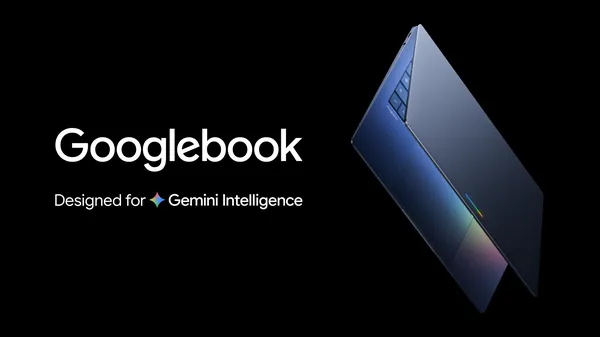
Positioning: A laptop designed from scratch for Gemini Intelligence — the spiritual successor to Chromebook, but positioned higher.
Architecture:
- Based on Android technology stack + ChromeOS world-class browser experience
- Gemini Intelligence as the connecting layer woven through every interaction
- Not replacing Chromebook, but an entirely new premium category
- Google explicitly calls this an "intelligence system" rather than a traditional OS
Core Features:
| Feature | Description |
|---|---|
| Magic Pointer | AI cursor that understands context and provides intelligent suggestions |
| Custom Widgets | Describe your needs with a prompt, the system generates desktop widgets |
| Cast My Apps | Seamlessly cast phone apps to run on the desktop |
| Glowbar | Distinctive hardware design element |
| Seamless File Sync | Automatic synchronization between phone and laptop |
| Rapid Feature Migration | Since it's based on Android, phone features can be brought to laptops faster |
Significance: Google has finally found a credible path to bring Android into laptops. This is no longer the clumsy port of Android desktop mode, but a Gemini-first, Android tech-stack-driven, ChromeOS browser-advantage-preserving new computing paradigm.
Implicit Signal: Google didn't explicitly say the OS is "Android," but rather said "Android and everything around it is an important component" — this hints that Googlebook may be a hybrid of Android and ChromeOS, or the starting point for the convergence of the two tech stacks.
🔬 In-Depth Technical Analysis: Googlebook Technology Stack
Googlebook Technology Stack Architecture (Android + ChromeOS Fusion)
graph TB
    subgraph "User Interaction Layer"
        MAGIC_PTR["Magic Pointer<br/>AI Cursor"]
        WIDGET_G["AI-Generated Widgets"]
        GLOWBAR["Glowbar<br/>Hardware Interaction"]
    end

    subgraph "Gemini Intelligence Layer"
        GI_DESKTOP["Gemini Desktop Service<br/>Laptop-Optimized Version"]
        GI_AGENT_D["Desktop Agent Runtime<br/>Desktop Task Orchestration"]
    end

    subgraph "Fusion OS Layer"
        ANDROID_RUNTIME["Android Runtime<br/>ART + App Compatibility Layer"]
        CHROME_RUNTIME["Chrome Runtime<br/>Browser Engine"]
        CAST_ENGINE["Cast My Apps<br/>Phone App Casting Engine"]
        FILE_SYNC["File Sync Engine<br/>Phone ↔ Laptop"]
    end

    subgraph "Linux Kernel Layer"
        KERNEL["Linux Kernel<br/>Desktop-Optimized Configuration"]
        DRIVER["Hardware Drivers<br/>Laptop Peripherals"]
        GPU_ACCEL["GPU Acceleration<br/>AI Inference"]
    end

    MAGIC_PTR --> GI_DESKTOP
    WIDGET_G --> GI_DESKTOP
    GI_DESKTOP --> GI_AGENT_D
    GI_AGENT_D --> ANDROID_RUNTIME
    GI_AGENT_D --> CHROME_RUNTIME
    CAST_ENGINE --> ANDROID_RUNTIME
    FILE_SYNC --> KERNEL
    ANDROID_RUNTIME --> KERNEL
    CHROME_RUNTIME --> KERNEL
    KERNEL --> DRIVER
    KERNEL --> GPU_ACCEL
Technology Fusion Projection:
Googlebook's OS is not simply "Android Desktop Edition" or "ChromeOS + Android Apps," but a fusion:
- Android Runtime Provides App Compatibility — Googlebook can run all Android apps; Cast My Apps even enables seamless casting of phone apps to the desktop. This is an experience ChromeOS's Android compatibility layer never achieved.
- Chrome Runtime Provides Browser Experience — ChromeOS's browser advantages (performance, web compatibility, extension ecosystem) are preserved. This is what pure Android desktop mode lacks.
- Gemini Intelligence as Unified Interaction Layer — Magic Pointer, AI Widgets, etc. are not standalone features but natural extensions of Gemini Intelligence in the desktop environment. This means every interaction on Googlebook may involve AI.
- Hardware AI Acceleration — Given Googlebook's positioning, it likely features NPU/TPU chips for on-device AI inference, supporting offline operation of some Gemini Intelligence features.
Strategic Significance: Googlebook is Google's answer to the "AI PC" track — not stacking AI features on traditional PCs (Microsoft Copilot+ PC), but redesigning computing devices from an AI-native starting point. The risk is: whether the market is ready to accept an entirely new OS ecosystem.
VII. Android XR Smart Glasses

The smart glasses release closest to consumer reality.
7.1 Product Form Factor
- Two design partners:
- Gentle Monster (fashion-forward approach)
- Warby Parker (everyday wearable approach)
- Hardware partner: Samsung (responsible for engineering and manufacturing)
- Compatibility: Android + iOS
- Positioning: Companion device for phones (connects via Bluetooth/WiFi to the phone for compute-intensive tasks)
7.2 Features
- Real-time voice navigation (Google Maps + Gemini)
- Notification push
- Real-time voice/text translation
- Gemini voice control
- Hands-free photo taking
7.3 On-Site I/O Demo
- Voice-guided walking navigation
- Hands-free coffee ordering with Gemini + DoorDash
- AI text summarization and calendar updates
- Entirely without taking out the phone
7.4 Evaluation

More likely to appear on the street than any previous Google glasses attempt. Three key changes:
- No longer designing hardware themselves — handing it to Gentle Monster and Warby Parker, letting the experts do what they do best
- Companion device positioning rather than standalone computing device — lowering the barriers for weight, power consumption, and price
- Gemini all-day integration — not an AR display, but an AI voice assistant + lightweight visual feedback when needed
Release Date: This fall. Price and detailed specs not yet announced.
VIII. Developer Tools & Cloud
8.1 Developer Tools Overview
| Tool | Description |
|---|---|
| Antigravity Desktop | Agent-first desktop IDE, core conversation + Artifacts + multi-Agent orchestration |
| Antigravity CLI | Command-line Agent execution environment |
| Antigravity SDK | Developer-facing Agent development kit |
| Managed Agents API | Create hosted Agent with a single API call, Google hosts Linux sandbox |
| Gemini API Upgrade | Supports 3.5 Flash + Omni, thought preservation |
| AI Studio → Antigravity | One-click export from Prompt to Agent |
| AI Studio Android | Native Android app generation |
| Firebase Integration | Full Agent development pipeline |
8.2 Managed Agents API Technical Details
This is a key release for enterprise developers:
- Single API call creates a custom Agent
- Agent runs in Google-hosted secure remote environment
- Supports Bash / Python / Node execution
- Supports file operations, web browsing, custom Skills
- Built-in security sandbox and audit logs
8.3 Google Cloud
- Gemini Enterprise Agent Platform: Enterprise-grade Agent development platform
- Agentic Data Cloud: Data infrastructure designed for Agent scenarios
- AI Content Detection API: AI-generated content detection, available immediately
- TPU 8th Generation (Ironwood): Previously announced at Cloud Next '26
- Gemini 3.5 Flash available immediately on Agent Platform
- Workspace Intelligence: AI layer upgrade for enterprise Workspace
IX. Security, Content Provenance & Pricing
9.1 SynthID Full-Stack Expansion
- SynthID marking expanded to Search, Gemini, Chrome, and the entire hardware/media stack
- Cross-industry collaboration: Google has partnered with OpenAI, NVIDIA, Kakao, ElevenLabs to promote SynthID as a standard
- New AI Content Detection API available for enterprise use
An Easily Overlooked Signal: Google is pushing SynthID to become an industry standard. If successful, Google will gain rule-making power in AI content provenance — a massive strategic asset in an increasingly regulated environment.
9.2 Pricing Strategy Adjustments
| Tier | Monthly Fee | Description |
|---|---|---|
| AI Free | $0 | Basic Gemini usage |
| AI+ | New $100/month | For advanced users |
| AI Ultra | $200/month (reduced from $250) | Includes Spark, Omni, highest-tier models |
| Gemini API | Pay-per-use | Flash: $1.50/$9.00 per M tokens |
Strategy Interpretation: Google is using more aggressive pricing to compete for high-end users (developers + creators) while expanding the user base through the Ultra price reduction. The introduction of the $100 tier fills the gap between free and $200.
🔬 In-Depth Technical Analysis: Pricing Strategy and Business Model
Pricing Strategy vs Competitor Comparison
graph LR
    subgraph "Google"
        G_FREE["AI Free<br/>$0/month"]
        G_PLUS["AI+<br/>$100/month"]
        G_ULTRA["AI Ultra<br/>$200/month<br/>Includes Spark + Omni"]
    end

    subgraph "OpenAI"
        O_FREE["Free<br/>$0/month"]
        O_PLUS["Plus<br/>$20/month"]
        O_PRO["Pro<br/>$200/month<br/>Includes Operator"]
    end

    subgraph "Anthropic"
        A_FREE["Free<br/>$0/month"]
        A_PRO["Pro<br/>$20/month"]
        A_MAX["Max<br/>$100-200/month<br/>Includes Computer Use"]
    end

    G_FREE -.->|"Competes"| O_FREE
    G_PLUS -.->|"Competes"| O_PRO
    G_ULTRA -.->|"Competes"| O_PRO
Pricing Strategy Deep Analysis:
| Dimension | OpenAI | Anthropic | |
|---|---|---|---|
| Free Tier | Gemini App basic features | ChatGPT basic | Claude basic |
| Mid-Tier | AI+ $100/month (new) | Plus $20/month | Pro $20/month |
| High-End | Ultra $200/month | Pro $200/month | Max $100-200/month |
| API Pricing | Flash $1.50/$9.00/M | GPT-5.5 ~$5/$15/M | Sonnet 4 ~$3/$15/M |
| Core Differentiator | Spark persistent Agent | Operator Web Agent | Computer Use desktop Agent |
| Hardware Bundling | Googlebook/XR glasses | None | None |
| Search Bundling | AI Mode 1B+ | SearchGPT | None |
$200/month Ultra ARPU Analysis:
| Item | Estimate |
|---|---|
| Ultra subscription revenue | $200/month/user |
| Spark running cost (VM + Tokens) | $30-80/month/user (projected) |
| Omni/Veo usage cost | $10-30/month/user (projected) |
| Gross margin | ~50-70% |
| Annual ARPU | $2,400 |
| Target user count (estimate) | 500K-1M (first year) |
| Annual revenue contribution | $1.2-2.4B |
X. Other Notable Product Updates
10.1 Gemini App Consumer
- "Neural Expressive" design language: Entirely new visual system
- Gemini Live Voice: Inline/instant voice conversation, no waiting
- Daily Brief: Personalized daily summary, integrating email/calendar/tasks
- macOS App: Native desktop application
- Spark + Voice Desktop workflow: Coming soon
10.2 Workspace
- Gemini Intelligence deeply integrated into Gmail, Docs, Sheets, Slides
- Agent-driven automated workflows
10.3 Project Genie + Street View
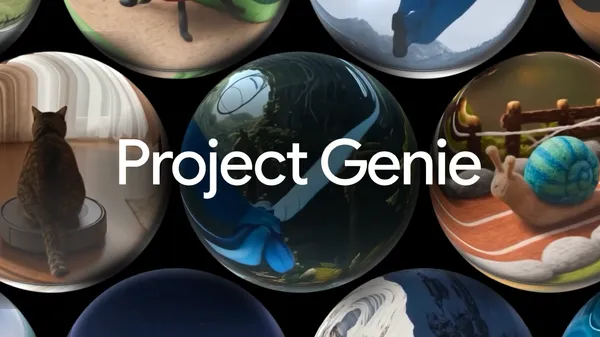
- Using AI to simulate real-world locations and scenes
- Interactive world-building based on Street View data
10.4 Gemini for Science
- New scientific tools and experiment collections
- Expanding the scale and precision of scientific exploration
10.5 SIMA 2
- AI Agents can play, reason, and learn in virtual 3D worlds
XI. Overall Assessment
What Is Google Doing? — Full-Stack Flywheel Closed Loop
Every layer advances in sync, reinforcing each other. Read any single announcement in isolation, and it is incremental. Read them together, and it is structural.
Business Engineer's analysis is spot on: "Read any single announcement in isolation, and it is incremental. Read them together, and you see something structural: the full-stack flywheel completing its first revolution."
Google's Advantages
- Distribution Advantage: 13 products with 1B+ users, Gemini covers 230+ countries in 70+ languages
- Infrastructure: 3.2Q tokens/month operational experience + in-house TPU, 8.5M developers
- Multimodal Integration: Omni unifies understanding, generation, editing, and world modeling; competitors currently have no equivalent offering
- Agent Foundation: Antigravity is several orders of magnitude deeper than "chat wrapper" — from IDE to CLI to SDK to managed platform, the full pipeline
- Hardware Category Expansion: Googlebook + XR glasses simultaneously targeting two directions (laptop and wearable)
Risks and Concerns
- Product Naming Confusion: Gemini CLI vs Antigravity CLI, Flash getting more expensive but still called Flash — even developers are confused, let alone regular users
- Price Inflation: Flash running cost is 5.5x its predecessor; Artificial Analysis explicitly notes worse cost-performance than expected; the Flash label is losing its original meaning
- Self-Reported Benchmarks: Google's self-tested data looks too perfect; third-party conclusions are more cautious. Performance on some benchmarks (MRCR, ARC-AGI-2, TerminalBench-Hard) is not standout
- Agent Security & Trust: Spark can send emails, browse the web, manipulate calendars — where are the permission boundaries? Who is responsible when things go wrong? Google says "it will request confirmation before significant operations," but the definition and execution details are unclear
- New Category Risk: Googlebook and XR glasses are both new categories; consumer acceptance is unknown. Google's hardware history (Nest, Stadia, Glass) doesn't inspire complete confidence
- Lock-in Risk: Once enterprises build business logic on Antigravity / Managed Agents, migration costs will be very high
Signals for the Industry
- Agents are the main battlefield; chat models are merely a transitional state. Google, OpenAI, and Anthropic are all moving in this direction, but Google has the most complete full-stack layout
- Video generation has entered the practical stage — Omni + Veo 3.1 + Flow form a complete creative chain from idea to finished product; 10-second video generation with audio is already a usable product
- Smart glasses may be the next terminal — Google chose to partner with fashion brands rather than build hardware themselves, which is the right posture. Meta Ray-Ban has already validated the demand
- AI is becoming civilization-level infrastructure — a scale of 3.2 quadrillion tokens/month means AI is no longer a "feature" but an underlying service like electricity
- Search's paradigm shift: From retrieval to monitoring + generation; the SEO industry and content ecosystem will face deep restructuring
- The commercialization year of personal Agents: Spark's $200/month pricing means Google believes enough people are willing to pay for a 24/7 AI assistant
XII. Competitive Landscape In-Depth Analysis
🔬 Google vs OpenAI vs Anthropic Full-Stack Capability Comparison
graph TB
    subgraph "Full-Stack Capability Comparison"
        direction TB

        subgraph "Google — Most Complete Full Stack"
            G_MODEL["✅ Top-Tier Models<br/>Gemini 3.5 Flash/Pro"]
            G_SEARCH["✅ Search Engine<br/>AI Mode 1B+"]
            G_OS["✅ Operating System<br/>Android 17"]
            G_CLOUD["✅ Cloud Infrastructure<br/>TPU + GCP"]
            G_HW["⚠️ Hardware<br/>Pixel/XR/Googlebook"]
            G_AGENT["✅ Agent Platform<br/>Antigravity + Spark"]
            G_MEDIA["✅ Media Generation<br/>Omni + Veo + Imagen"]
            G_WORKSPACE["✅ Productivity Tools<br/>Workspace"]
        end

        subgraph "OpenAI — Strongest Models + Applications"
            O_MODEL["✅ Top-Tier Models<br/>GPT-5.5"]
            O_SEARCH["⚠️ SearchGPT<br/>Limited Scale"]
            O_OS["❌ No Operating System"]
            O_CLOUD["⚠️ Azure Partnership<br/>No Own Infrastructure"]
            O_HW["❌ No Hardware"]
            O_AGENT["✅ Agent Platform<br/>Codex + Operator"]
            O_MEDIA["⚠️ Sora<br/>Video Only"]
            O_WORKSPACE["❌ No Productivity Tools"]
        end

        subgraph "Anthropic — Strongest Safety + Research"
            A_MODEL["✅ Top-Tier Models<br/>Claude Opus 4"]
            A_SEARCH["❌ No Search Engine"]
            A_OS["❌ No Operating System"]
            A_CLOUD["⚠️ AWS Partnership<br/>No Own Infrastructure"]
            A_HW["❌ No Hardware"]
            A_AGENT["✅ Agent Platform<br/>Claude Code + Computer Use"]
            A_MEDIA["❌ No Media Generation"]
            A_WORKSPACE["❌ No Productivity Tools"]
        end
    end
Competitive Deep Comparison Tables
Model Layer: Gemini 3.5 Flash vs GPT-5.5-medium vs Claude Sonnet 4
| Benchmark | Gemini 3.5 Flash | GPT-5.5-medium (est.) | Claude Sonnet 4 (est.) | Analysis |
|---|---|---|---|---|
| Reasoning/Code | Terminal-Bench 2.1: 76.2% | ~72-75% | ~70-74% | Flash slightly ahead |
| Agent Capability | GDPval-AA: 1656 | ~1620-1640 | ~1600-1630 | Flash clearly ahead |
| Tool Calling | MCP Atlas: 83.6% | ~80-82% | ~78-81% | Flash ahead |
| Multimodal | MMMU-Pro: 84% | ~80-82% | ~75-78% | Flash significantly ahead |
| Inference Speed | 280+ tok/s | ~120-150 tok/s | ~100-120 tok/s | Flash 2-3x faster |
| Price (Input) | $1.50/M | ~$5/M | ~$3/M | Flash cheapest |
| Price (Output) | $9.00/M | ~$15/M | ~$15/M | Flash cheapest |
| Context Window | 1M | ~256K-1M | ~200K | Flash largest |
| Hallucination Rate | 61% (still high) | ~55-60% | ~50-55% | Sonnet more reliable |
Agent Platform: Antigravity vs Codex vs Claude Code
| Dimension | Antigravity 2.0 | OpenAI Codex | Claude Code |
|---|---|---|---|
| Entry Point | Desktop + CLI + SDK | Cloud + CLI | CLI + API |
| Execution Environment | Google-hosted sandbox | OpenAI sandbox | Local + sandbox |
| Programming Languages | Bash/Python/Node | Python/JS | Bash/Python/Node |
| Multi-Agent | ✅ Native support (93-Agent Demo) | ⚠️ Limited support | ⚠️ Via tool orchestration |
| Custom Skills | ✅ Supported | ❌ Not supported | ⚠️ Via MCP |
| IDE Integration | Desktop App | Embedded in ChatGPT | VS Code / JetBrains |
| File Operations | ✅ Complete | ✅ Complete | ✅ Complete |
| Web Browsing | ✅ Built-in | ✅ Built-in | ⚠️ Limited |
| Android Integration | ✅ Native | ❌ | ❌ |
| Maturity | First-release preview | Iterated multiple versions | Iterated multiple versions |
| Brand Clarity | ❌ Confusing (Gemini CLI vs Antigravity CLI) | ✅ Clear | ✅ Clear |
Hardware Ecosystem: Google vs Apple vs Meta
| Dimension | Apple | Meta | |
|---|---|---|---|
| Phone | Pixel + Samsung ecosystem | iPhone | None |
| Laptop | Googlebook (new category) | MacBook | None |
| Smart Glasses | Android XR (fall launch) | Vision Pro | Ray-Ban Meta ✅ |
| Watch | Wear OS | Apple Watch | Meta Watch (discontinued) |
| Automotive | Android Auto | CarPlay | None |
| AI Chip | TPU Ironwood | Apple Neural Engine | MTIA v2 |
| AI OS Layer | Gemini Intelligence | Apple Intelligence | Meta AI |
| Hardware Design | Partnerships (Samsung/Gentle Monster) | In-house | Partnerships (Ray-Ban/EssilorLuxottica) |
| Hardware Success Track Record | ⚠️ Mixed (Pixel success, Stadia failure) | ✅ Strong | ⚠️ Quest success, others failed |
🔬 Business Model Projection
Target User Profile for AI+ $100/month Tier
| User Profile | Needs | Willingness to Pay | Estimated Scale |
|---|---|---|---|
| Heavy Creators | Omni + Veo high-quality video generation | High | 2-5M |
| Professional Developers | More API calls + advanced models | Medium-High | 5-10M |
| Knowledge Workers | Workspace AI enhancement + deep analysis | Medium | 10-20M |
| AI Enthusiasts | Latest models + advanced features | Medium | 5-10M |
| Estimated TAM | 22-45M |
Managed Agents API Pricing Logic and TAM Estimation
Pricing Logic Projection:
| Cost Item | Estimate | Description |
|---|---|---|
| Token Consumption | $1.50-9.00/M tokens | Pay-per-use |
| Sandbox Compute | ~$0.05-0.20/hour | Firecracker VM cost |
| Temporary File Storage | ~$0.01-0.05/GB | Temporary storage cost |
| Network Traffic | ~$0.01-0.10/GB | Outbound traffic cost |
| Total Cost per Agent Task | $0.50-50/task | Depends on task complexity |
| Platform Markup | 2-5x | Standard SaaS markup |
| Price Range | $1-250/task | From simple to complex |
TAM Estimation:
| Market Layer | Scale | Description |
|---|---|---|
| Developer Tools | $5-10B/year | Replaces some CI/CD, testing, ops tools |
| Enterprise Automation | $10-30B/year | Replaces RPA, workflow automation |
| AI Agent as a Service | $20-50B/year | New market (Agent hosting + orchestration) |
| Total Addressable Market | $35-90B/year | 5-10 year time window |
Search AI Mode's Impact on the Advertising Business Model
| Dimension | Current Model | AI Mode Model | Impact |
|---|---|---|---|
| Ad Format | Blue links + text ads | Native ads in Generative UI | Ads need to be redesigned |
| Ad Slots | 10+ ad slots/page | 1-3 ad slots/query | Ad slots reduced 50-70% |
| Click Value | High (user actively clicks) | Potentially lower (Agent gives direct answers) | CPC decline |
| Ad Relevance | Medium (keyword matching) | Very high (semantic understanding) | Conversion rate may improve |
| Measurement | CPM/CPC | May shift to CPA/subscription | Business model restructuring |
Key Risk: If Search goes from "10 blue links" to "1 AI answer + Generative UI," the reduction in ad slots could significantly impact Google's core revenue. Google's strategy may be:
- Embed native ads in Generative UI (product recommendations in comparison tools)
- Create new advertising scenarios through Information Agents (commercial recommendations in monitoring tasks)
- Offset advertising revenue decline through AI+ and Ultra subscriptions
Cost Structure Projection for 3.2Q Tokens/Month
| Cost Item | Annual Estimate | Calculation Logic |
|---|---|---|
| TPU/Compute | $60-90B | Main portion of Capex |
| Data Center Facilities | $20-30B | Construction, cooling, power facilities |
| Power | $3-6B | Based on ~3-4 GW × $0.06-0.08/kWh |
| Network Bandwidth | $2-4B | Global CDN and backbone |
| Personnel | $5-8B | AI researchers + engineers |
| Software/Licenses | $1-2B | Third-party software and services |
| Total | $91-140B/year | Consistent with $180-190B Capex + $30-50B Opex scale |
Revenue Coverage Analysis:
- Google's 2025 total revenue approximately $400B+
- AI-related revenue (API + subscriptions + search incremental) estimated $20-40B/year
- AI infrastructure investment as a percentage of revenue is approximately 25-35% — this is a strategic-bet-level commitment
Analysis based on the Google I/O 2026 keynote (2026-05-19), Google official blog, Latent Space AINews, Artificial Analysis, The Verge, Wired, Engadget, PCMag, and other sources. Third-party benchmark data from Artificial Analysis and Arena. In-depth technical projections are based on publicly available information and industry practices; sections marked as "projected" are analyst estimates, not officially confirmed.
Enhanced Edition v2 · 2026-05-20 · In-Depth Technical Analysis Edition